Using security headers with PHP
2025-07-29
To get hands-on with programming I’ve revisited my first programming language, PHP. I spent time in memory lane by doing things the way I used to years ago. Seeing results immediately after FTPing my newly written code to a shared hosting server was satisfying for me as a teenager, a sharp contrast to today’s complex deployment pipelines. PHP’s simple deployment model lowered the bar to create something on the Internet, but also exposing vulnerable code.
I’ve worked some years with application security, so I asked if I could shape up the security around my PHP applications?
To get started I needed an application to experiment with, on a shared hosting environment. I had the latter laying around, so I built a minimal PHP application with just enough code to demonstrate things. A simple game where the user guesses a random number stored in the session.
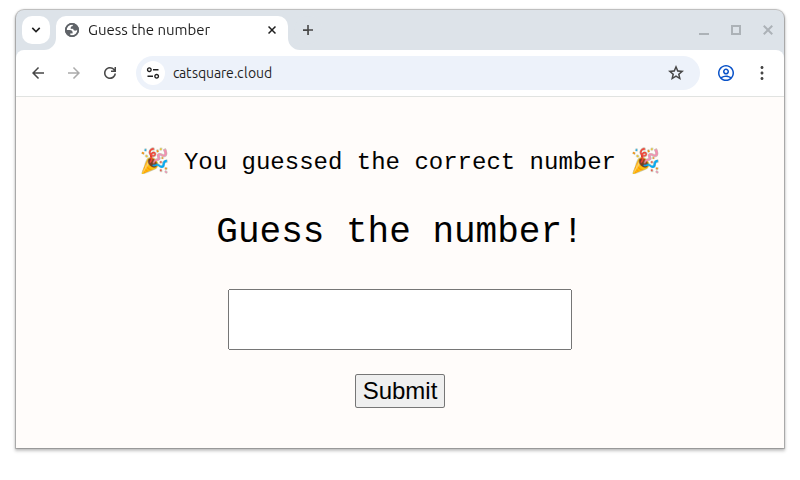
With a working application, it was time to check the security posture. The focus is security headers so a quick scan on securityheaders.com revealed...
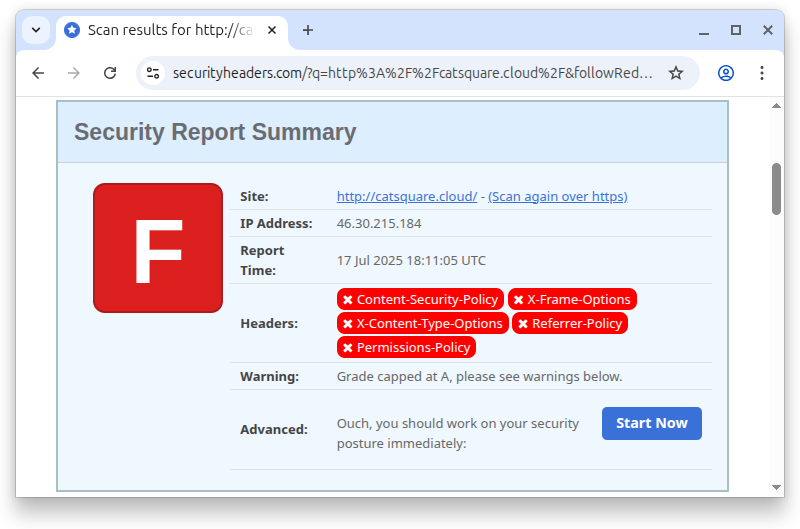
An F, not great.
First detail, the scanner communicated with the application over plain HTTP, even if it’s available over HTTPS. Other security measures are practically useless if data is transmitted in plain text.
Session hijacking is one example of a vulnerability in the current state. Say an attacker is sitting somewhere between the client and the server, when traffic goes over plain text, so goes the cookie that contains the session token. All the attacker has to do is capture the session token in transit and reuse it to become the victim. For this application, the session just remembers a number, but it’s normally used to handle authentication. If the victim for session hijacking happens to be an administrator, it’s home run for the attacker.
There’s also a lot of headers missing, that I’ll have to fix. The scanning report contains more information.
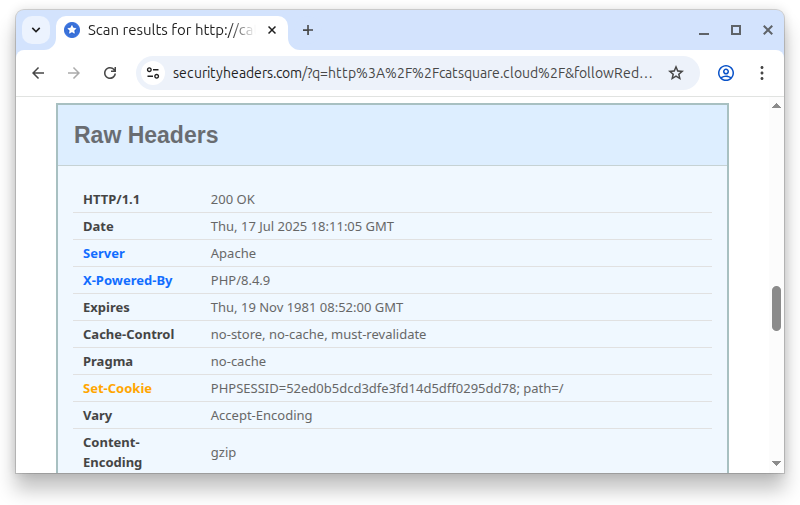
In the headers, the server reveals that it’s Apache, but also the specific PHP version being used. This isn’t ideal, since a vulnerable version is a convenient hint for an attacker. I didn’t succeed in removing this in my shared hosting environment, where server software versions are out of my control.
The most important detail in this screen is the Set-Cookie header, used for the session token. The current state is basic, missing a lot of security mechanisms. JavaScript has access to it and it can be transmitted over plain HTTP, both problems can be mitigated.
There’s some work to shape this up.
Security headers with Apache configuration
My application is running on the hosting providers Apache server, this loads and processes a .htaccess file before responding to a request. This configuration file can instruct Apache to modify the response, including setting headers which is perfect for the security headers I want to set and forget. After some fiddling I ended up with some lines of configuration.
RewriteEngine On
RewriteCond %{HTTPS} !=on
RewriteRule ^(.*)$ https://%{HTTP_HOST}%{REQUEST_URI} [L,R=301]

<IfModule mod_headers.c>
    Header always set Referrer-Policy "same-origin"
    Header always set Strict-Transport-Security "max-age=31536000; includeSubDomains"
    Header always set X-Frame-Options "DENY"
    Header always set X-Content-Type-Options "nosniff"
</IfModule>
Let’s break down the configuration. The first three lines redirects requests over plain HTTP to HTTPS. Communicating over HTTPS is a prerequisite for some of the later security measures.
Now it’s time for the simple security headers.
Browsers attach information about where the user comes from. The Referrer-Policy header controls which information is sent and to whom. By setting the value to same-origin, the referrer information is only attached when the request goes to the same site on the same protocol, stripping it away when navigating to external pages.
I configured Apache to redirect plain HTTP requests to HTTPS. Instead of sending plain HTTP requests in the future, the browser can cache the preference for HTTPS requests. This is controlled by the Strict-Transport-Policy header, and I’ve configured it to apply on subdomains as well.
The need for X-Frame-Options is answered by a simple question. Should other pages be able to embed this page or not? In our case, no! Setting the value to DENY tells the browser not to render this page in frames.
Browsers can in some situations be helpful and guess the content type when a response lacks proper MIME type header. A plain text file could be interpreted as executable JavaScript, which is undesired behaviour when designing with security in mind. Setting X-Content-Type-Options to nosniff instructs the browser not to guess the content type.
With all headers configured, I FTPed the configuration file to the server and submitted the site to securityheaders.com for a new scan.
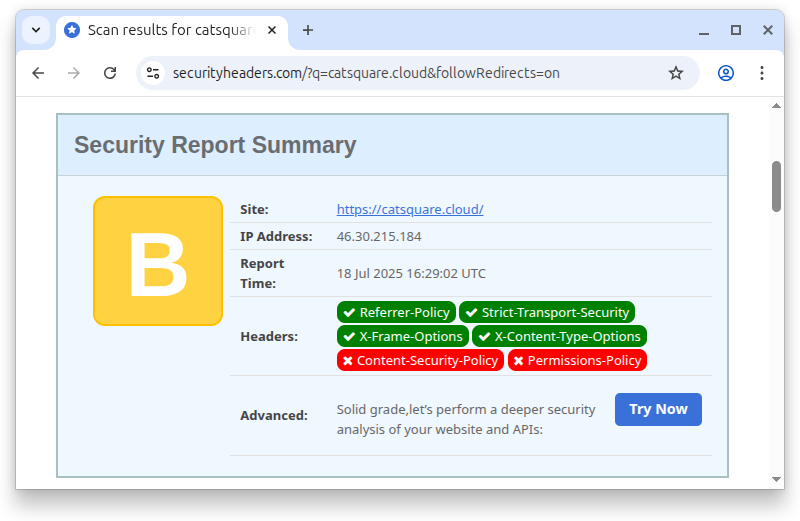
The page has improved to score B. That’s a step in the right direction.
Securing the PHP session token
Earlier I mentioned that the session cookie is held by a simple cookie without any extra security configuration. It’s time to fix this by injecting configuration to the session initialiser. I did this with some PHP boilerplate code, since my hosting provider won’t let me change the php.ini file self-service.
<?php
const SESSION_OPTIONS = [
    "name" => "__Host-SESSID",
    "cookie_path" => "/",
    "cookie_secure" => true,
    "cookie_httponly" => true,
    "cookie_samesite" => "Lax",
];

session_start(SESSION_OPTIONS);
I started by adding the __Host prefix to the session cookie name. This small tweak does a lot. It restricts the cookie to the host, since I didn’t set the domain attribute, it’s restricted to the domain, but not subdomains. It also requires the Secure flag to be enabled, which requires the cookie to be transmitted over HTTPS.
I also set the HttpOnly flag to prevent JavaScript from accessing the cookie. A frontend client has no legitimate use of the session token. If a cookie is used for authentication to an API, the browser will add the cookie on requests. Alternatively, architect the application to use access tokens, which is out of scope in this post.
Last, the SameSite attribute was set to lax. This ensures that requests from other origins to my site don’t add existing cookies to the requests. A form on another site pointing to my site wouldn’t add the session token in a POST request.
Finishing touches with CSP and Permissions-Policy
Back to the two missing security headers, Content Security Policy and Permissions Policy. Both policies set some restrictions on what the site can do, the first controls which resources the page is allowed to load and the latter which browser features the site can access.
Both could be configured in the .htaccess file, but for the CSP, I’ll use a dynamic feature requiring implementation in the PHP code. I prefer to configure the Permissions-Policy along with the CSP, so I implemented both in the PHP code base.
<?php
$csp_nonce_value = bin2hex(random_bytes(32));

header("Content-Security-Policy: default-src 'none'; style-src 'nonce-{$csp_nonce_value}'");
header("Permissions-Policy: camera=(), geolocation=(), microphone=()");
The content security policy is restrictive and denies everything by default. In my application, I’ll only load some CSS, but instead of allowing all style sheets from the page, I choose a nonce as my preferred mechanism for loading the style sheet. Each time a page loads, a random token is generated and I use a nonce attribute on <style> tags I want to load.
<link rel="stylesheet" href="/style.css" nonce="<?= $csp_nonce_value ?>">
If an attacker is able to inject some HTML, the attacker does not have access to the nonce value and any injected style sheets or scripts would be denied by the browser.
For the Permissions-Policy I went with a bare minimum, just disabling camera, geolocation, and microphone. At this moment, it’s considered an experimental technology and I expect some changes in the future. After uploading the updated PHP script, it’s time for a new scan.
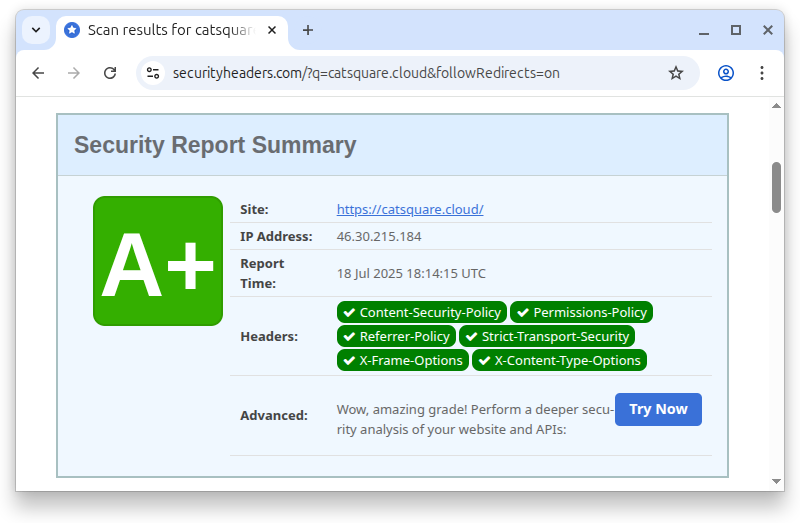
A+ indicating we’re in a good place with the security headers. Is the site secure?
It depends. Security headers give us a baseline, but won't fix bad code which is easy to write in PHP. At this point, we can focus on the fun stuff — building things that matter and secure them.
I've published the PHP code as a gist on GitHub.